Add Local OCR to a .NET AI Agent (Upload → Parse → Chat) with LiteParse
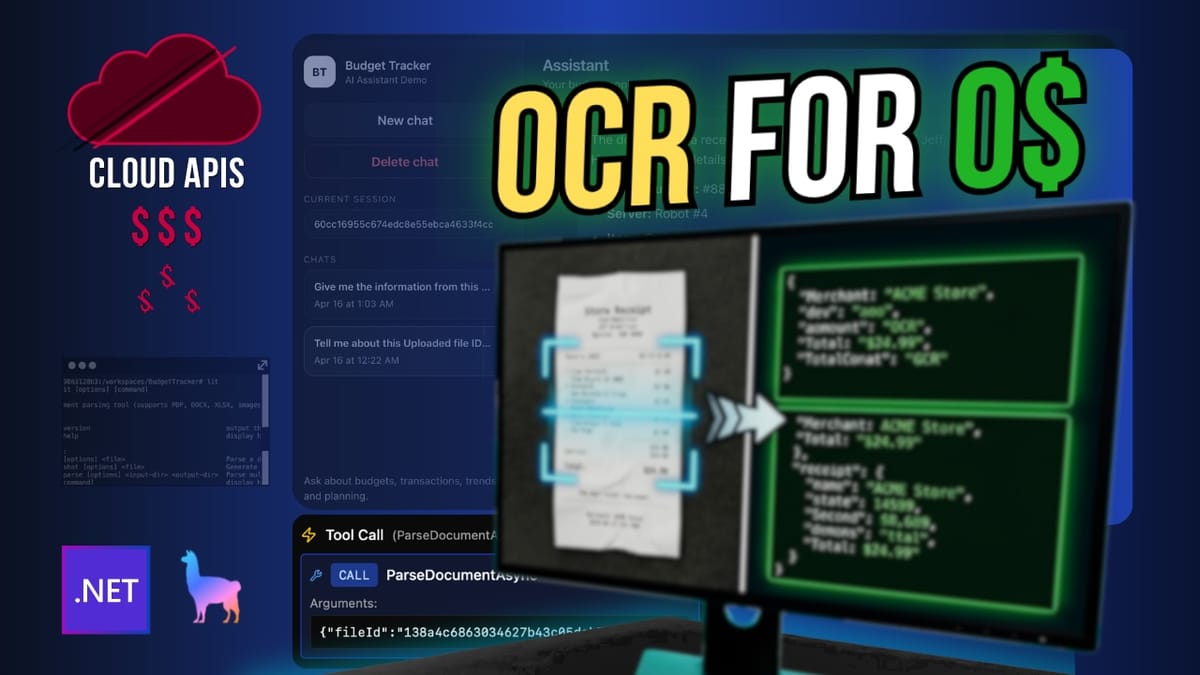
Build a .NET agent that can read receipts, PDFs, spreadsheets, and images locally by routing document parsing through a dedicated tool that looks up uploaded files, runs LiteParse, and returns clean text to the chat flow.

What you'll build
- A file upload endpoint that stores documents locally and returns a file ID
- A document tool that resolves a file ID, runs LiteParse, and returns extracted text
- A budget agent that routes document questions through the parsing tool first
- A local .NET flow where the agent can inspect a receipt and add expenses from it
- A setup that keeps OCR logic out of the agent itself
Why this pattern works
If you let the model "figure out" the document by itself, you end up mixing file handling, parsing, and reasoning in one place. This version keeps the architecture cleaner:
- The app stores the file.
- The agent asks for the document tool.
- The tool loads the file by ID.
- LiteParse turns the document into AI-friendly text while preserving structure.
- The agent uses that text to answer or perform a write action.
That separation makes the app easier to maintain and easier to swap later if you want a different parser.
Prerequisites
From the project setup shown here, you need:
- .NET application built around Microsoft Agent Framework
- An OpenAI API key in
OPENAI_API_KEY - A model name in
OPENAI_MODELor the defaultgpt-4o-mini - LiteParse installed locally with:
npm i -g @llamaindex/liteparse
- A machine where the
litcommand is available in the terminal
Step 1: Make sure the agent can use a document tool
The agent is configured with instructions that tell it to use the document parsing tool whenever the user asks about a PDF, receipt, statement, image, or other document. That rule matters because it keeps the model from trying to answer from memory when it should be reading a file.
The agent also includes the document tool in its tool list alongside the budget tools.
using System.Collections.Concurrent;
using System.Text.Json;
using BudgetTracker.Api.Agents.Tools;
using BudgetTracker.Api.Contracts;
using Microsoft.Agents.AI;
using Microsoft.Extensions.AI;
using OpenAI;
using OpenAI.Chat;

namespace BudgetTracker.Api.Agents;

public sealed class BudgetAgent
{
    private readonly AIAgent _agent;
    private readonly ConcurrentDictionary<string, JsonElement> _sessionStore = new();
    public AIAgent Agent => _agent;
    public BudgetAgent(IConfiguration configuration, BudgetTools budgetTools, DocumentTools docTools)
    {
        var apiKey = configuration["OPENAI_API_KEY"]
                     ?? throw new InvalidOperationException("OPENAI_API_KEY is not configured.");

        var model = configuration["OPENAI_MODEL"] ?? "gpt-4o-mini";

        var client = new OpenAIClient(apiKey);
        var chatClient = client.GetChatClient(model);

        _agent = chatClient.AsAIAgent(
            name: "BudgetCoach",
            instructions: $$"""
            You are a helpful budget coach inside a budget tracker app.
            Today is {{DateTime.UtcNow:yyyy-MM-dd}}.

            Rules:
            - Use tools for financial facts. Do not invent totals, budgets, or transactions.
            - If the user asks about a PDF, receipt, statement, image, or other document, use the document parsing tool first before answering.
            - Keep replies short and practical.
            - When the user asks about spending or budgets for a month, prefer yyyy-MM format.
            - Ask for confirmation before changing data.
            - When a write action was clearly requested, you may use the write tool and then confirm exactly what changed.
            """,
            tools:
            [
                AIFunctionFactory.Create(budgetTools.GetMonthlySpendAsync, name: nameof(BudgetTools.GetMonthlySpendAsync)),
                AIFunctionFactory.Create(budgetTools.GetBudgetStatusAsync, name: nameof(BudgetTools.GetBudgetStatusAsync)),
                AIFunctionFactory.Create(budgetTools.ListRecentTransactionsAsync, name: nameof(BudgetTools.ListRecentTransactionsAsync)),
                AIFunctionFactory.Create(budgetTools.AddTransactionAsync, name: nameof(BudgetTools.AddTransactionAsync)),
                AIFunctionFactory.Create(budgetTools.UpsertBudgetAsync, name: nameof(BudgetTools.UpsertBudgetAsync)),
                AIFunctionFactory.Create(budgetTools.DeleteTransactionsAsync, name: nameof(BudgetTools.DeleteTransactionsAsync)),
                AIFunctionFactory.Create(docTools.ParseDocumentAsync, name: nameof(DocumentTools.ParseDocumentAsync))
            ]);
    }

    public async Task<Contracts.ChatResponse> ChatAsync(ChatRequest request, CancellationToken cancellationToken = default)
    {
        if (string.IsNullOrWhiteSpace(request.Message))
        {
            throw new ArgumentException("Message is required.");
        }

        var sessionKey = request.SessionId ?? Guid.NewGuid().ToString("N");
        AgentSession session;

        if (request.SessionId is not null && _sessionStore.TryGetValue(request.SessionId, out var serializedSession))
        {
            session = await _agent.DeserializeSessionAsync(serializedSession, cancellationToken: cancellationToken);
        }
        else
        {
            session = await _agent.CreateSessionAsync(cancellationToken);
        }

        var result = await _agent.RunAsync(request.Message, session, cancellationToken: cancellationToken);

        var savedSession = await _agent.SerializeSessionAsync(session, cancellationToken: cancellationToken);
        _sessionStore[sessionKey] = savedSession.Clone();

        return new Contracts.ChatResponse(sessionKey, result.Text);
    }
}
The important bits are the docTools dependency, the explicit instruction to use document parsing first, and the extra tool in the agent tool list. That is the wiring that lets the model delegate document reading instead of guessing.
Checkpoint: the agent now has a clear rule for document questions and a tool it can call for parsing.
Before the agent can parse anything, the app needs a way to save an incoming file and get it back by ID. The file storage service does that by writing the file to disk, generating an ID, and keeping the metadata in memory.
using System.Collections.Concurrent;

namespace BudgetTracker.Api.Services;

public sealed class FileStorageService(IWebHostEnvironment env)
{
    private readonly string _uploadRoot = Path.Combine(env.ContentRootPath, "uploads");
    private readonly ConcurrentDictionary<string, StoredFile> _files = new();

    public async Task<StoredFile> SaveAsync(IFormFile file, CancellationToken cancellationToken = default)
    {
        if (file is null || file.Length == 0)
        {
            throw new ArgumentException("A non-empty file is required.");
        }

        Directory.CreateDirectory(_uploadRoot);

        var fileId = Guid.NewGuid().ToString("N");
        var extension = Path.GetExtension(file.FileName);
        var safeExtension = string.IsNullOrWhiteSpace(extension) ? ".bin" : extension;
        var storedFileName = $"{fileId}{safeExtension}";
        var fullPath = Path.Combine(_uploadRoot, storedFileName);

        await using var stream = File.Create(fullPath);
        await file.CopyToAsync(stream, cancellationToken);

        var stored = new StoredFile(
            fileId,
            file.FileName,
            file.ContentType ?? "application/octet-stream",
            fullPath,
            file.Length,
            DateTime.UtcNow);

        _files[fileId] = stored;
        return stored;
    }

    public StoredFile GetById(string fileId)
    {
        if (string.IsNullOrWhiteSpace(fileId))
        {
            throw new ArgumentException("File id is required.");
        }

        if (!_files.TryGetValue(fileId, out var stored))
        {
            throw new ArgumentException($"File '{fileId}' was not found.");
        }

        if (!File.Exists(stored.Path))
        {
            throw new ArgumentException($"Stored file '{fileId}' no longer exists on disk.");
        }

        return stored;
    }
}

public sealed record StoredFile(
    string Id,
    string OriginalName,
    string ContentType,
    string Path,
    long Size,
    DateTime UploadedAtUtc);
What to notice:
SaveAsynccreates a localuploadsfolder if needed.- The service returns a generated
fileId, which becomes the handle the agent can use later. GetByIdis the lookup path the document tool depends on.
This is intentionally simple. It is fine for a demo or MVP, but the storage strategy would probably change in a real app.
Checkpoint: you now have a local file store that can save a document and retrieve it by ID.
Step 3: Expose an upload endpoint that returns the file ID
The agent cannot parse a document until something uploads it first. This endpoint accepts a file, saves it through the storage service, and returns the ID plus basic metadata.
using BudgetTracker.Api.Services;

namespace BudgetTracker.Api.Endpoints;

public static class FileEndpoints
{
    public static IEndpointRouteBuilder MapFileEndpoints(this IEndpointRouteBuilder app)
    {
        app.MapPost("/api/files/upload", async (
            IFormFile file,
            FileStorageService storage,
            CancellationToken cancellationToken) =>
        {
            try
            {
                var stored = await storage.SaveAsync(file, cancellationToken);

                return Results.Ok(new
                {
                    fileId = stored.Id,
                    originalName = stored.OriginalName,
                    contentType = stored.ContentType,
                    size = stored.Size,
                    uploadedAtUtc = stored.UploadedAtUtc
                });
            }
            catch (ArgumentException ex)
            {
                return Results.BadRequest(new { error = ex.Message });
            }
        })
        .DisableAntiforgery();

        return app;
    }
}
The important part is the fileId in the response. That is the value the agent tool will use later to find the file on disk.
Checkpoint: you have an upload endpoint that gives the client a durable document ID.
Step 4: Add the document parsing tool
This is the actual bridge between the agent and LiteParse. The tool takes a file ID, resolves the stored file, runs LiteParse against the file path, and returns the extracted text.
using System.ComponentModel;
using BudgetTracker.Api.Services;

namespace BudgetTracker.Api.Agents.Tools;

public sealed class DocumentTools(IServiceScopeFactory scopeFactory)
{
    [Description("Parse a previously uploaded document using its file id.")]
    public async Task<string> ParseDocumentAsync(
        [Description("The file id returned by the upload endpoint.")] string fileId)
    {
        using var scope = scopeFactory.CreateScope();
        var storage = scope.ServiceProvider.GetRequiredService<FileStorageService>();
        var liteParse = scope.ServiceProvider.GetRequiredService<LiteParseService>();

        var stored = storage.GetById(fileId);
        var text = await liteParse.ParseAsync(stored.Path);

        return text.Length <= 12000
            ? text
            : text[..12000];
    }
}
A few practical details matter here:
- The tool is small on purpose. It only resolves the file and parses it.
- The
Descriptionattributes help the agent understand when to call it. - The output is trimmed to 12,000 characters so you do not dump a huge document into the chat flow.
Checkpoint: the app now has a dedicated agent tool for turning a file ID into readable text.
Step 5: Run LiteParse locally from .NET
LiteParse is wrapped in a service that starts the lit command, passes the file path, captures output, and throws a readable error if parsing fails.
using System.Diagnostics;
using System.Text;

namespace BudgetTracker.Api.Services;

public sealed class LiteParseService(ILogger<LiteParseService> logger)
{
    public async Task<string> ParseAsync(
        string filePath,
        CancellationToken cancellationToken = default)
    {
        if (string.IsNullOrWhiteSpace(filePath))
        {
            throw new ArgumentException("File path is required.");
        }

        if (!File.Exists(filePath))
        {
            throw new FileNotFoundException("Document file was not found.", filePath);
        }

        logger.LogInformation("Running LiteParse on {FilePath}", filePath);

        using var process = new Process
        {
            StartInfo = new ProcessStartInfo
            {
                FileName = "lit",
                RedirectStandardOutput = true,
                RedirectStandardError = true,
                UseShellExecute = false
            }
        };

        process.StartInfo.ArgumentList.Add("parse");
        process.StartInfo.ArgumentList.Add(filePath);

        var stdout = new StringBuilder();
        var stderr = new StringBuilder();

        process.OutputDataReceived += (_, e) =>
        {
            if (!string.IsNullOrWhiteSpace(e.Data))
            {
                stdout.AppendLine(e.Data);
            }
        };

        process.ErrorDataReceived += (_, e) =>
        {
            if (!string.IsNullOrWhiteSpace(e.Data))
            {
                stderr.AppendLine(e.Data);
            }
        };

        if (!process.Start())
        {
            throw new InvalidOperationException("Failed to start LiteParse.");
        }

        process.BeginOutputReadLine();
        process.BeginErrorReadLine();

        await process.WaitForExitAsync(cancellationToken);

        if (process.ExitCode != 0)
        {
            throw new InvalidOperationException(
                $"LiteParse failed with exit code {process.ExitCode}: {stderr}");
        }

        var text = stdout.ToString().Trim();

        if (string.IsNullOrWhiteSpace(text))
        {
            throw new InvalidOperationException("LiteParse returned no output.");
        }

        return text;
    }
}
Two important choices here:
- The service validates the path before it shells out.
- It captures stderr separately so failures are easier to debug.
LiteParse is useful here because it preserves structure in documents, which makes the extracted text better input for the model than a flat blob with no layout.
Checkpoint: the app can now invoke lit parse <file> locally and return the extracted text.
Step 6: Register everything in Program.cs
Now that the pieces exist, wire them up in dependency injection and map the routes. This is what connects the file store, parser, tools, and agent into one app.
using BudgetTracker.Api.Agents;
using BudgetTracker.Api.Agents.Tools;
using BudgetTracker.Api.Data;
using BudgetTracker.Api.Endpoints;
using BudgetTracker.Api.Services;
using Microsoft.EntityFrameworkCore;

using Microsoft.Agents.AI.DevUI;
using Microsoft.Agents.AI.Hosting;

var builder = WebApplication.CreateBuilder(args);

builder.Services.AddDbContext<BudgetDbContext>(options =>
    options.UseSqlite(builder.Configuration.GetConnectionString("BudgetDb") ?? "Data Source=budget.db"));

builder.Services.AddScoped<TransactionService>();
builder.Services.AddScoped<BudgetService>();
builder.Services.AddScoped<InsightService>();
builder.Services.AddScoped<LiteParseService>();
builder.Services.AddSingleton<FileStorageService>();


builder.Services.AddSingleton<BudgetTools>();
builder.Services.AddSingleton<DocumentTools>();
builder.Services.AddSingleton<BudgetAgent>();

builder.Services.ConfigureHttpJsonOptions(options =>
{
    options.SerializerOptions.PropertyNamingPolicy = null;
});

builder.AddAIAgent(
    name: "BudgetCoach",
    (sp, key) => sp.GetRequiredService<BudgetAgent>().Agent);

builder.Services.AddOpenAIResponses();
builder.Services.AddOpenAIConversations();

var app = builder.Build();

using (var scope = app.Services.CreateScope())
{
    var db = scope.ServiceProvider.GetRequiredService<BudgetDbContext>();
    await db.Database.EnsureCreatedAsync();
    await DataSeeder.SeedAsync(db);
}

app.MapGet("/", () => Results.Ok(new
{
    Name = "BudgetTracker MVP",
    Endpoints = new[]
    {
        "GET /api/transactions?month=2026-04",
        "POST /api/transactions",
        "GET /api/budgets?month=2026-04",
        "PUT /api/budgets",
        "GET /api/insights/2026-04",
        "POST /api/agent/chat"
    }
}));

app.UseDefaultFiles();
app.UseStaticFiles();
app.MapTransactionsEndpoints();
app.MapBudgetsEndpoints();
app.MapInsightsEndpoints();
app.MapAgentEndpoints();
app.MapFileEndpoints();

app.MapOpenAIResponses();
app.MapOpenAIConversations();

if (app.Environment.IsDevelopment())
{
    app.MapDevUI();
}

app.Run();
A couple of notes:
LiteParseServiceis registered as scoped, whileFileStorageService,BudgetTools,DocumentTools, andBudgetAgentare singletons.- The app maps
/api/files/upload,/api/agent/chat, and the budget-related routes in one place. - The startup path also ensures the database exists and seeds sample data.
Checkpoint: the app is wired end to end, from upload endpoint to parser to agent.
Step 7: Try the flow end to end
Once the app is running, the flow should look like this:
- Upload a receipt or other document through
/api/files/upload. - Capture the returned
fileId. - Send that
fileIdto the agent with a prompt like “Tell me about this.” - The agent should call
ParseDocumentAsync. - The tool should load the file, run LiteParse, and return extracted text.
- The agent should use that text to answer or take action.
The demo path in this app is a budget tracker, so the next move is usually something like adding a transaction from the parsed receipt. The same architecture would work for invoices, statements, or any other file that LiteParse can process.
Checkpoint: the agent is no longer guessing about the document. It is reading structured text from a local parser.
What to expect when it works
When everything is connected correctly, the model can answer things like:
- what the receipt total was
- what line items appear on the document
- whether a transaction should be added
- what amount to use after a tip or adjustment
Because the parser runs locally, the document content is handled on your machine instead of being pushed into a separate OCR API.
Troubleshooting
lit is not found
The parser service calls the lit command directly. If that command is missing from your terminal path, the parser step will fail before any document is read.
The file ID cannot be found
The document tool depends on the upload endpoint having already saved the file and returned a valid ID. If the ID is wrong, GetById throws an error.
LiteParse returns no output
The parser service treats empty output as a failure. That usually means the file could not be parsed successfully or the command did not return text.
The document is too large for the chat flow
The document tool trims output to 12,000 characters. That is a deliberate limit to keep the prompt manageable.
The agent answers without reading the file
Double-check the system instruction in BudgetAgent. The rule telling the model to use the document parsing tool first is what nudges it toward the right path.
Next steps
A few practical extensions from here:
- Parse receipts into a single expense instead of splitting every line item
- Add support for other file types LiteParse can handle
- Store files in a more durable backend instead of in-memory metadata
- Route parsed text into budgeting, categorization, or approval workflows
- Swap the model behind the agent while keeping the document tool architecture the same
Conclusion
The main win here is not just OCR. It is the shape of the system.
Keep document parsing behind a dedicated tool, let that tool resolve file IDs, run LiteParse locally, and return clean structured text to the agent. That gives you a simpler architecture, less cost, and a much easier path to building document-aware features in .NET.
If you want to expand this, the next obvious step is to tighten the parsing flow for your own document type and wire the extracted data into whatever action your app needs to take.